Dictate anywhere. Offline.
A dictation keyboard for mobile. Private and open source.
On your computer: Dictus Desktop · Mac, Windows, Linux


Dictus is not affiliated with any of these brands.
IN YOUR KEYBOARD
The mic is already there.
The animation comes from the Dictus iPhone app: in a note, “Hi” is typed on the Dictus keyboard, then the mic is tapped, the dictation confirmed, and the paragraph lands in the note.
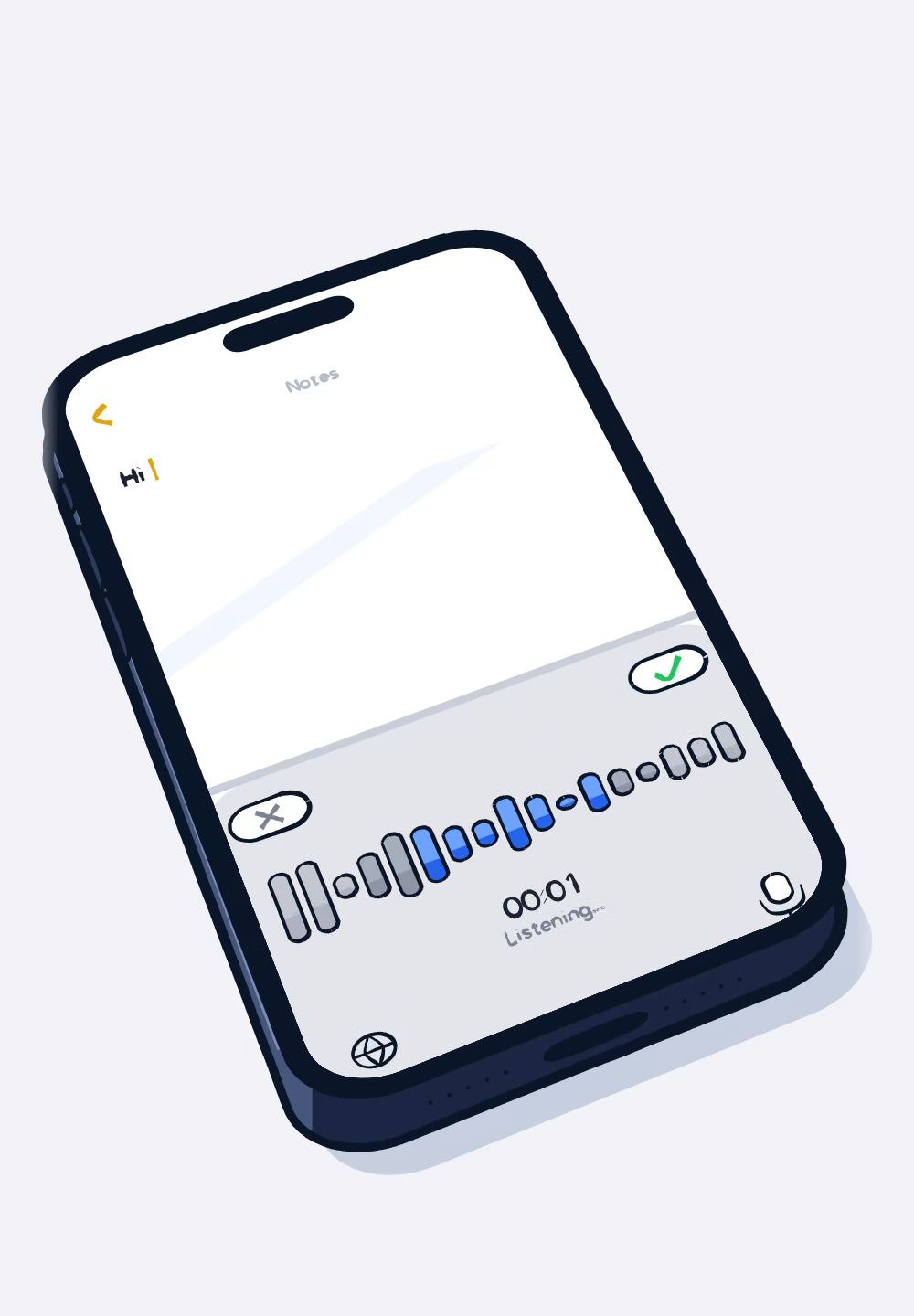
Tap the mic.
Dictus replaces your keyboard, not your apps. Open a chat, an email, a note: the mic is at the top right.
Talk the way you talk.
The timer runs while you speak. Tap ✓ when you are done: transcription runs on the phone.
Dictus writes.
Capitals and punctuation included, the text lands where your cursor was.
Where you write.
Messages, email, notes, AI assistants: Dictus writes in apps that accept third-party keyboards. For passwords, iOS keeps its own keyboard.
EVEN OFFLINE
Dictation that works fully offline.
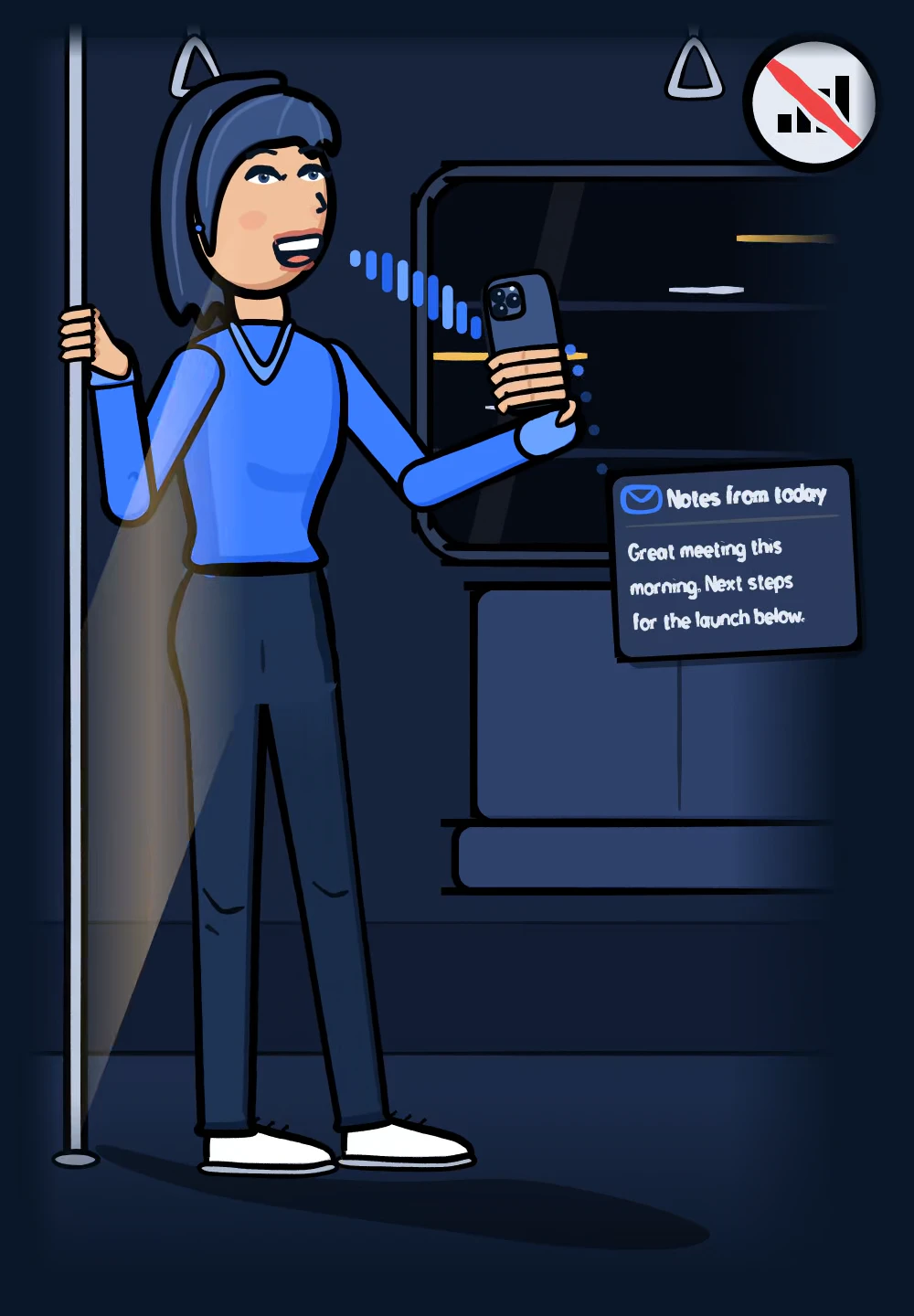
Dictus transcribes your voice right on your iPhone. Once the model is downloaded, you don’t need the internet to dictate: no signal, no Wi-Fi, no server.
The animation comes from the Dictus iPhone app: in a metro carriage with no network, a woman dictates into her phone and a mail draft writes itself: “Notes from today. Great meeting this morning. Next steps for the launch below.”
NO NETWORK
Parakeet v3Recommended
Fast and accurate (NVIDIA) · ~483 MB · on the iPhone
OFFLINE · EN
Notes from today
Great meeting this morning. Next steps for the launch below.
The model lives on your iPhone.
Downloaded once, it runs on the chip: no server transcribes. Dictus recommends it for your language and your iPhone.
You speak, the text arrives.
Transcription runs on the iPhone, offline, and the text lands where you are writing.
Open source
The code is open source: anyone can check what Dictus does.
TRANSCRIPTION 100% ON DEVICE · OPEN SOURCE
Dictus Pro on iPhone
Smart Modes require Apple Intelligence: iPhone 15 Pro or later, iOS 26. Vocabulary, history and voice note transcripts work without it.
One long press, one Smart Mode.
Hold the mic, slide to a mode, let go. Dictus writes in that mode.
Your words, spelled right.
Note a name and the way Dictus gets it wrong. Next time, it will write it your way.
Your voice notes, transcribed.
Share a voice note to Dictus from any app. The text is waiting for you in the keyboard.
Everything is easy to find.
Your latest dictations stay on your iPhone. Search for a word, find the text.
LANGUAGES
Dictate in nearly 100 languages.
With the Whisper models. Parakeet covers 25 European languages. Quality varies by language.
“Hello” in 24 of the languages Dictus transcribes, from French to Japanese and Arabic.
A real keyboard in your language
- FRENCH · AZERTY
- ENGLISH · QWERTY
- SPANISH · QWERTY
- GERMAN · QWERTZ
OPEN SOURCE · PRIVACY
Your voice stays on your iPhone.
On device
Your voice never leaves your phone. Once the model is downloaded, transcription runs 100% on the iPhone, even offline.
No tracking
The app integrates no analytics, tracking or crash-reporting tool. Sharing iOS crash reports is an Apple setting you choose.
Open source
The iPhone app’s code is public, under the MIT licence. Read it, build it, suggest an improvement.
See the code on GitHub
Your questions.
Yes, audio is transcribed on your device. Model downloads, updates and payments use the network. On Desktop, optional post-processing, disabled by default, may send text to a provider you choose.
Desktop will stay free. On iPhone, the keyboard, local dictation, Normal mode, models and dictation status stay free. Some apps do not support third-party keyboards; available features depend on your device.
The free app requires iOS 17 or later. AI modes and intelligent correction require iOS 26 or later and enabled Apple Intelligence: iPhone 15 Pro or 15 Pro Max, iPhone 16 models or later, or iPhone Air, in a supported language and region. The free Pro trial is offered on these iPhones. Buying Pro does not change these requirements. History, vocabulary and voice note transcripts do not require Apple Intelligence. Models depend on device, memory, app version and languages; Dynamic Island requires an iPhone equipped with it.
On an iPhone compatible with Smart Modes, Dictus Pro is free for 14 days, once per device. No payment and no subscription are needed. When the trial ends, Pro switches off unless you choose a plan or the one-time purchase. Nothing is charged automatically.
History is part of Dictus Pro. It keeps your last 200 dictations on your iPhone, so you can search, copy or delete them. Past that limit, each new dictation removes the oldest one. Audio is not kept.
Pro is for iOS for now; Dictus Pro for Android is in development. Desktop stays free. Your iOS purchase does not include an Android licence or cross-device sync.
DICTUS DESKTOP
Also on your computer.
Press your shortcut, speak, and your words appear in the app you are using. Transcription runs on your computer. Free. Today and tomorrow.
macOS
Apple Silicon (arm64) and Intel (x64), macOS 10.15 or later. Signed and notarized. No sign-up, no telemetry.
Windows
x64 and ARM64. Standalone installer.
Microsoft signing is in progress. Until then, Windows SmartScreen shows a warning: click "More info", then "Run anyway".
Linux
AppImage, .deb (Ubuntu, Debian) and .rpm (Fedora, openSUSE). x64 and ARM64.
Version v0.3.1Other platforms and releases on GitHubSource code